Showing posts with label Change Default Apps in Android. Show all posts

Monday, 7 October 2013

How To Clear Default Application in Android ?

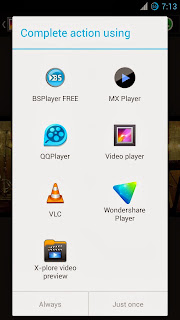
If we installed two or more apps which does the same purpose, for example Video Player, Browser, etc. Then, the OS will pop-up a dialog with the available apps which will handle the operation. You can select the preferred app to do the operation Always or Just once

If you made a wrong choice or you wish to clear the app just follow the steps.

How To Clear Default Application in Android ?


1. Go to Settings -> Apps

In some android versions go to Settings -> Applications -> Manage Applications to get the apps list.

2. Find the app you want to reset and select it.

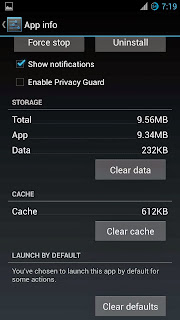
3. Finally tap Clear defaults button.


That's it....