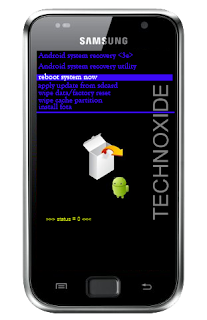
Methode:
1. Switch off your SGS Plus (wait until you get the vibration )
2. Now, press and hold the volume up key and the power button. Leave both buttons when you see the SAMSUNG logo.
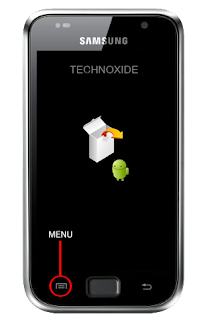
3. After "Galaxy S Plus" splash screen you will get a white box and android logo image like below,then press menu soft key and wait some second.
That's it ! You will be in recovery mode !


